
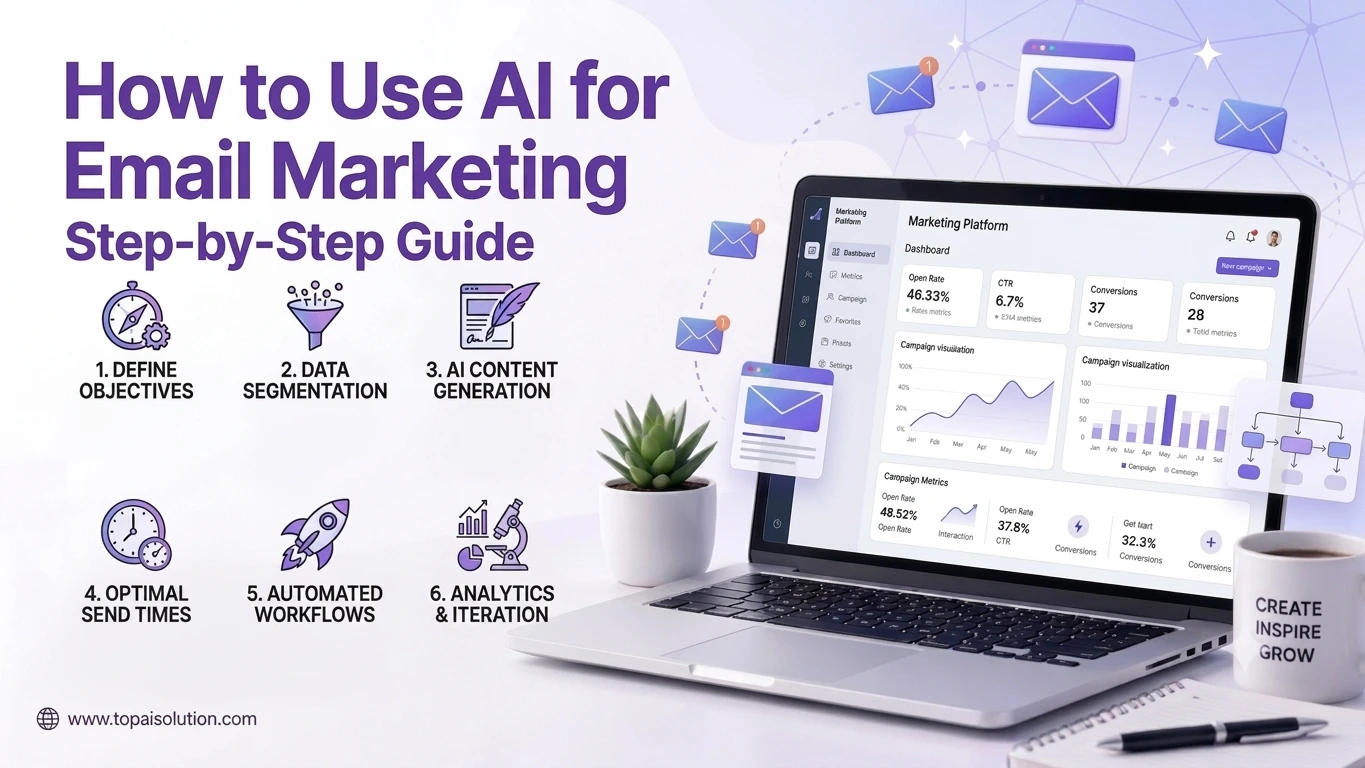

Using AI for email marketing means letting AI write subject lines, personalize content, segment your list, and choose the best send times, all while a human reviews the final output before it goes out. Most businesses start with subject lines and expand from there.
Key Takeaways
- AI for email marketing speeds up subject lines, body copy, segmentation, and send-time decisions.
- Open rates often improve when AI helps personalize subject lines based on subscriber behavior.
- Most email platforms now include AI features built directly into the editor.
- Human review still matters. AI drafts should be checked for tone and accuracy before sending.
- Starting with one part of the workflow, like subject lines, works better than automating everything at once.
Email marketing has always come down to getting the right message in front of the right person at the right time. Using AI for email marketing makes that process faster without losing the personal feel that makes email effective in the first place.
For years, marketers relied on manual A/B testing, guesswork on send times, and hours spent writing subject line variations one at a time. That approach worked, but it did not scale well as lists grew and campaigns multiplied. AI changes that math by handling the repetitive parts of the process while a human still makes the final call on tone, offers, and strategy.
This guide walks through exactly how to use AI for email marketing, step by step, using tools that already exist inside most email platforms. If you have never used AI for email marketing before, you can follow these steps in order and have a working setup by the end of the day.
Why Use AI for Email Marketing
Writing a strong subject line for every campaign, segmenting a list by behavior, and testing send times manually all take real time. AI for email marketing removes most of that manual work while still leaving a human in control of the final send.
The businesses seeing the best results are not using AI for email marketing to replace strategy. They are using it to handle repetitive drafting and testing, freeing up time to focus on the bigger picture, like offers, timing, and list growth.
This shift matters most for small teams and solo marketers who used to spend entire afternoons writing and testing subject line variations by hand. That same work now takes minutes, which means more campaigns can go out, more tests can run, and decisions get made based on actual data rather than a single guess about what might work.
There is also a consistency benefit that often gets overlooked. A tired marketer writing their fifth subject line of the day tends to produce weaker copy than their first. AI does not experience that fatigue, which means quality stays more even across a high volume of campaigns.
Expert Tip: Do not send an AI-drafted email without reading it out loud first. Tone problems are easy to miss on screen but obvious the moment you hear it.
Step 1: Choose an AI Email Marketing Tool
Most major email platforms already include AI for email marketing features built into the editor.
- Mailchimp includes AI-generated subject lines and content suggestions directly in its campaign builder, along with basic send-time recommendations for smaller lists.
- HubSpot offers AI email drafting tied to your existing contact data and past campaign performance, which helps tailor tone based on what has historically worked with specific segments.
- Klaviyo focuses heavily on AI-driven segmentation and personalization for e-commerce brands, pulling in purchase history and browsing behavior automatically.
If your current platform does not include these features yet, tools like ChatGPT or Claude can still help you draft subject lines and body copy manually, which you then paste into your existing email tool.
Step 2: Use AI to Write Subject Lines
Subject lines are usually the easiest place to start with AI for email marketing, since the output is short and easy to review quickly.
Give the AI tool your offer, your audience, and a rough tone (casual, urgent, professional), then ask for five to ten subject line variations. Review them for accuracy and tone before testing any of them live. A/B testing two AI-generated subject lines against each other is a simple way to see what actually resonates with your list.
It helps to give the AI specific context rather than a vague prompt. Mentioning the exact offer, any deadline, and even the general length you want tends to produce far more usable output than a generic request. Marketers who get the best results usually keep a running list of past high-performing subject lines to reference in future prompts, which helps the AI stay closer to a brand’s established voice over time.
Step 3: Draft the Email Body with AI
Once the subject line is set, use AI for email marketing content by feeding it the same context: your offer, your audience, and any specific details that must be included, like a discount code or deadline.
AI-generated body copy usually needs light editing for brand voice, but it gives you a strong starting point instead of a blank page. For longer or more nuanced campaigns, tools like Claude tend to produce fewer generic phrases than shorter AI models.
Step 4: Personalize and Segment with AI
This is where AI for email marketing tends to save the most time. Instead of manually building ten different segments, AI tools like Klaviyo can automatically group subscribers based on purchase history, browsing behavior, or engagement level.
Personalization at this stage goes beyond inserting a first name. AI can adjust subject lines, offers, and even send times differently for each segment, based on what has historically worked for similar subscribers.
A practical example helps illustrate this. A subscriber who frequently opens emails about a specific product category might receive a subject line highlighting that category first, while a subscriber who mostly engages with discount-focused emails might see pricing mentioned earlier in the subject line. AI can apply this kind of logic across thousands of subscribers simultaneously, something that would take a human team an unreasonable amount of time to replicate manually for each segment.
Pro Tip: Start with two or three segments instead of ten. Over-segmenting early makes it hard to tell what is actually driving results.
Step 5: Let AI Choose Send Times
Most platforms with AI for email marketing features include send-time optimization, which analyzes when each subscriber typically opens email and schedules accordingly.
This removes the guesswork of picking one send time for an entire list, which rarely works well across different time zones and habits. Automated send-time optimization is one of the lower-risk places to fully trust AI, since a wrong send time simply means a lower open rate, not a factual error reaching a customer.
Step 6: Review Before Sending
No matter how good AI for email marketing tools get, a human should review every campaign before it sends. This step catches tone issues, factual errors, and anything that does not match current promotions or inventory.
A short checklist works well here: check the subject line, check the offer details, check any links, and check that segmentation rules are applied correctly.
Comparison Table: AI Email Marketing Features by Platform
| Platform | Subject Line AI | Body Copy AI | Segmentation AI | Send-Time AI |
|---|---|---|---|---|
| Mailchimp | Yes | Yes | Basic | Yes |
| HubSpot | Yes | Yes | Yes | Yes |
| Klaviyo | Yes | Basic | Yes | Yes |
How to Write Better Prompts for Email Drafting
The quality of AI-generated email content depends heavily on how much context you provide upfront. A vague prompt produces vague copy, while a detailed one produces something closer to a finished draft.
Include the specific offer or announcement, the exact audience segment you are targeting, any deadline or urgency element, and a general sense of tone, whether that is casual, formal, playful, or direct. It also helps to specify a rough word count or structure, such as a short intro followed by three bullet points and a single call to action.
Sharing a past example of a campaign that performed well gives the AI something concrete to match, rather than asking it to guess at your brand voice from scratch. Over time, building a small internal library of strong prompts and examples makes each new campaign faster to produce, since the setup work only needs to happen once.
It also helps to be specific about what to avoid. If certain phrases feel overused or a particular tone does not match your brand, saying so directly in the prompt saves a round of editing later. Marketers who treat prompt writing as a skill worth refining tend to spend far less time rewriting AI output after the fact.
Building a Repeatable Email Workflow
Once the individual steps feel comfortable, the real value comes from turning them into a repeatable process rather than starting from scratch with every campaign.
A simple weekly structure might look like this: draft subject lines and body copy early in the week, review and edit by midweek, schedule sends for the following few days, and check performance metrics before starting the next cycle. Keeping this rhythm consistent makes each step faster over time, since the team knows exactly what to expect and when.
Documenting the workflow, even briefly, also makes it easier to bring on new team members or delegate parts of the process without losing consistency. A short internal guide covering which tool handles which task, what tone guidelines to follow, and who reviews before sending removes a lot of the guesswork that slows teams down when someone new joins.
Common Email Types That Benefit Most
Not every campaign benefits equally from automation. A few formats tend to see the biggest gains.
Welcome sequences are one of the strongest candidates, since new subscribers all need similar information, and personalization can be layered in based on how they signed up. Abandoned cart reminders also benefit heavily, since timing and urgency matter more than creative writing, and automated tools handle that timing better than manual scheduling ever could.
Re-engagement campaigns, sent to subscribers who have gone quiet, are another strong fit. These often need a slightly different tone than regular campaigns, and testing several variations quickly makes it easier to find what actually brings inactive subscribers back.
Newsletter-style campaigns tend to benefit less from full automation, since audiences often expect a consistent, recognizable voice that reflects an actual person writing to them regularly. These work better with AI assisting the draft rather than generating the whole thing.
Common Mistakes When Using AI for Email Marketing
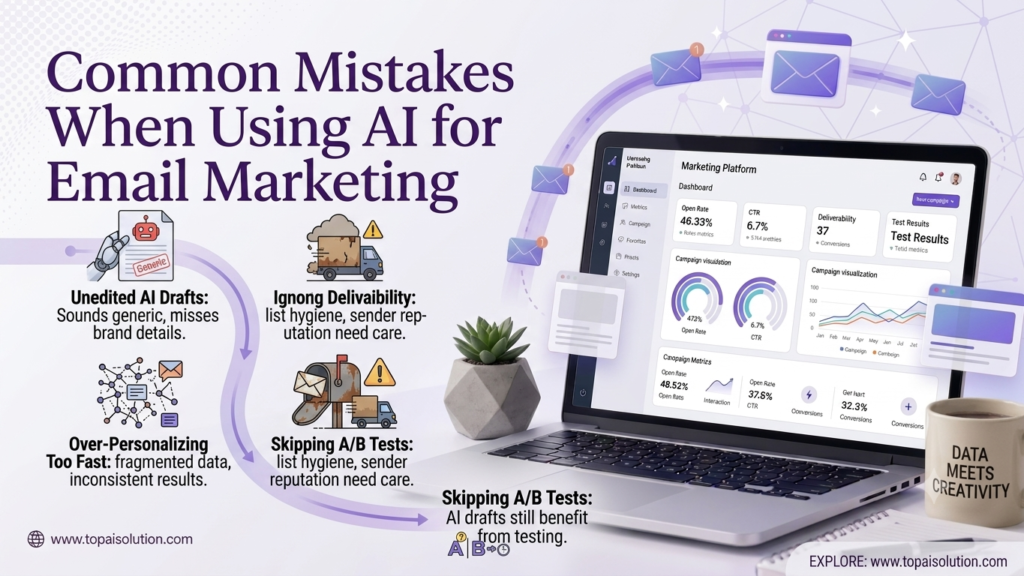
- Sending AI drafts without editing. Unedited AI copy often sounds generic and can miss brand-specific details.
- Over-personalizing too fast. Building too many segments before you have enough data leads to inconsistent results.
- Ignoring deliverability basics. AI helps with content, but list hygiene and sender reputation still need regular attention.
- Skipping A/B tests. AI-generated subject lines still benefit from testing rather than assuming the first draft is best.
These mistakes tend to share a common root cause: treating automation as a replacement for judgment rather than a tool that supports it. The teams that avoid these pitfalls usually built a simple review habit early on and stuck with it, rather than trying to fix problems after a campaign already went out to the full list.
Warning: Never let AI generate pricing, discount codes, or legal disclaimers without a human double-checking accuracy before send.
How to Measure Whether It Is Working
Tracking the right numbers matters more than assuming automation alone means success. A few metrics tell the real story.
Open rate is the first signal to watch, since subject line quality directly affects it. Click-through rate shows whether the body content and offer are actually compelling once someone opens the message. Unsubscribe rate deserves attention too, since a spike often means personalization or frequency has gone too far in one direction.
It helps to review a sample of sent campaigns by hand every month, comparing subject lines and copy that performed well against ones that fell flat. Patterns tend to emerge quickly, whether that means certain tones resonate better with your audience or certain segments respond best to shorter subject lines.
Testing should never fully stop just because the process is faster now. Running occasional A/B tests, even after a workflow feels dialed in, helps confirm that what worked last quarter still works today, since subscriber habits and preferences shift over time.
Best Practices for AI Email Marketing
- Start with subject lines before automating the full email body.
- Keep a consistent brand voice guide that you feed into your AI prompts each time.
- Review AI-generated segments monthly to make sure they still reflect real subscriber behavior.
- Test different AI-generated variations against each other rather than assuming one output is final.
- Pair AI for email marketing with a broader strategy. Our guide on AI marketing tools covers additional channels worth automating alongside email.
Summary
Using AI for email marketing does not mean replacing your marketing strategy. It means removing repetitive drafting work so your team can focus on offers, list growth, and testing. Start with subject lines, add body copy drafting next, then move into segmentation and send-time optimization once the basics feel solid. Keep a human reviewing every send, and you get the speed of AI without losing the trust your subscribers have in your emails.
For more on choosing the right marketing stack overall, see our guide to AI tools for small business or explore best AI writing tools if you want more options beyond email specifically. Whichever tools you choose, the underlying approach stays the same: let automation handle the repetitive work, and keep a human focused on strategy and final review.
Frequantly Asked Questions
Start with AI-generated subject lines inside your existing email platform, then expand into body copy and segmentation once you are comfortable with the results.
Many platforms include basic AI features in their standard plans, though advanced segmentation and personalization sometimes require a paid upgrade.
Many businesses report improved open rates when AI helps personalize subject lines based on subscriber behavior, though results vary by list and industry.
Mailchimp and HubSpot both include built-in AI subject line generators, and general tools like ChatGPT or Claude work well too.
AI can draft a full campaign, but a human should always review it for tone, accuracy, and brand consistency before it sends.
Yes, as long as a human reviews any content involving pricing, legal disclaimers, or compliance-sensitive language before sending.
AI analyzes each subscriber’s past open behavior and schedules sends individually, rather than using one fixed time for the entire list.
No. Most AI email marketing features are built directly into existing platforms and require no coding or technical setup.
Many marketers report cutting drafting and testing time significantly, especially for subject lines and initial content drafts.
Yes. Small businesses often see the biggest relative time savings, since they typically have fewer people handling email marketing manually, and automating even one or two steps frees up meaningful hours each week that can go toward strategy, list growth, or other parts of the business that still need a human touch.