

Claude Projects can make recurring client work easier to organize when your instructions and reference material are clear. The practical benefit is having a consistent place for a brief, approved facts, and writing rules. The risk is expecting a neatly arranged workspace to make every generated answer correct automatically.
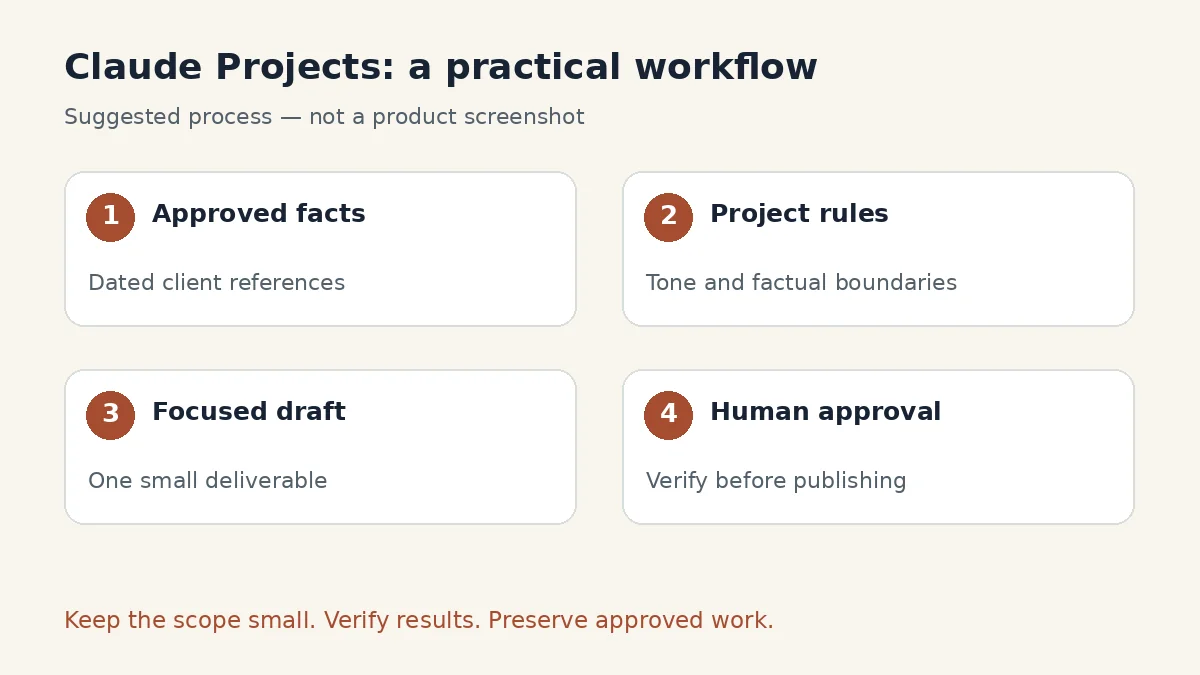
This guide presents a suggested seven-step workflow for preparing client content. It uses fictional examples and does not claim hands-on performance testing. Product details were checked on November 15, 2026. Start with one small client deliverable, then expand only when you can review the output efficiently.
What Claude Projects means in this guide
Anthropic’s projects overview describes workspaces containing reference knowledge and conversations. It also notes a staged rollout of a newer projects beta, starting with Claude Code and selected paid users. Screens and behavior may therefore differ between accounts.
This article focuses on the document-and-instructions workflow described in the current project management guide. If your interface is the newer beta, adapt the organizational principles rather than looking for identical buttons. The project name alone is not a substitute for instructions that explicitly describe the work.
For a broader comparison before choosing a tool, see ChatGPT vs Claude vs Gemini. Here, the goal is narrower: organize one client’s work so that factual questions and approval decisions remain visible.
Free versus paid: begin with a realistic allowance
Anthropic’s current documentation says free accounts can create up to five projects. The pricing page lists Free at $0 and Pro at $20 when billed monthly, or $200 billed annually. Prices exclude applicable taxes and may change. Usage limits still apply; a project is not a separate unlimited allowance.
For an initial trial, use a single project with a few concise reference documents. Consider a paid plan only when a real access or usage limitation prevents useful work. A large subscription does not resolve conflicting client information or unclear approval rules.
Keep a simple record of how many usable drafts you finish and how much review each needs. That is more helpful for a purchasing decision than counting how many words an assistant can generate. If the output repeatedly needs correction, improve the references before increasing volume.
Step 1: define the project’s purpose
Choose a bounded outcome such as “prepare approved service-page drafts for a fictional bicycle repair shop.” Avoid an initial scope as broad as “manage everything for the business.” A narrow purpose makes missing information easier to recognize.
Write a short brief covering the audience, deliverables, tone, factual boundaries, and approval process. Distinguish facts from preferences. “Appointments are available on Saturdays” is a fact that needs a source. “Use reassuring language” is an editorial preference. Mixing them makes it harder to assess an answer.
Include an owner for each category of information. A business owner approves services and prices; an editor approves tone; a developer confirms whether a website feature exists. Claude can help organize questions, but it should not silently become the authority for those decisions.
Step 2: prepare a small reference pack
Create three short files before uploading anything:
| File | What to include | What to leave out |
|---|---|---|
| Client brief | Audience, objectives, deliverables, approval owner | Unrelated historical messages |
| Approved facts | Current services, verified contact details, dated policies | Guesses and superseded prices |
| Writing rules | Tone, formatting, terminology, examples | Contradictory instructions |
Use clear filenames with revision dates, such as approved-services-2026-11-15.txt. Put a short status line inside each document: current, draft, or superseded. A date in a filename helps humans, but it should not be your only explanation of which source takes priority.
Do not upload an entire mailbox merely because it contains some useful context. Extract the approved details you need and exclude information the task does not require. A compact pack is easier to maintain and easier to check when an answer goes wrong.
Step 3: create the project and add instructions
In the documented interface, open Projects, create a new project, and add your reference material to its knowledge area. Add behavior rules through project instructions. Anthropic explains that those instructions apply to chats within the project; material from another chat should not be assumed available as reference unless it is included in the knowledge base.
Use this original instruction template:
Help prepare client content using the approved reference files. Identify which document supports factual details. Do not invent prices, availability, qualifications, guarantees, testimonials, or results. If files conflict, describe the conflict and ask which approved source should control. Follow the writing rules, keep paragraphs readable, and separate questions for the client from publishable copy. Produce drafts for review; do not send messages or publish anything. Before finishing, list unresolved factual gaps and the files used.
You can adapt the tone and output format to your business. The factual boundary should remain explicit. Our prompt-writing guide explains why concrete requirements generally produce more useful requests than broad instructions to “write professionally.”
Step 4: test the reference pack before drafting
Begin with questions whose answers you already know. Ask which service has an approved price, which information is missing, and whether a particular promise is supported. This is a check of the setup, not a formal accuracy benchmark.
For the fictional repair shop, suppose the approved facts list puncture repairs and brake adjustments but do not mention electric-bike battery repair. Ask whether the shop repairs batteries. The useful response should identify the missing approval instead of confidently expanding the service list.
Run a deliberate conflict test too. Add a clearly marked sample note that contradicts a current fact, and ask the assistant to explain which document it would rely on. Remove the test note afterward. You are checking whether your source-priority instructions are clear enough to reveal ambiguity.
If a response seems wrong, first inspect the source pack. Does it contain obsolete wording? Is an important detail buried in an unrelated file? Correct the reference problem before adding a long list of increasingly defensive instructions.
Step 5: request one small deliverable
Ask for a single service-page section rather than an entire website. Specify the reader, purpose, approximate length, and information that must be included. Keep unsupported claims out of the brief.
Try this request:
Draft a 250-word introduction to the approved brake-adjustment service. Explain the customer problem in plain language, describe only services supported by the facts file, and end with the approved booking method. Do not invent turnaround times or prices. After the copy, provide a separate checklist of factual claims and their reference filenames, plus unresolved questions.
Read the publishable copy and the claim checklist separately. A polished paragraph may still contain an assumption. Check that a phrase such as “same-day repair” actually has approval and is not simply persuasive wording introduced by the model.
When revising, identify the problem precisely. “Remove the unsupported turnaround promise and keep the rest unchanged” is a focused request. “Make it better” may change accurate sections, introduce new claims, or create another round of review.
Step 6: review and approve outside the draft
Use a short human review checklist: factual accuracy, audience fit, tone, completeness, and publication readiness. Record approval separately from the generated text so the assistant’s confident language cannot be mistaken for the client’s authorization.
For each deliverable, keep a status such as Draft, Needs facts, Approved, or Published. Include the approval date and final destination where relevant. These labels are your workflow choices, not a claim that Claude automatically manages an external publishing system.
Before copying content into a website, remove internal questions and review notes. Check headings, contact details, and links in the destination editor. A correct draft can still be published with the wrong formatting or an outdated booking URL.
If your work involves ongoing notes as well as deliverables, our Notion AI versus ChatGPT note-taking comparison offers another perspective on organizing information. Choose a system you can keep current rather than adding a second tool without a clear purpose.
Step 7: maintain the knowledge instead of growing clutter
When a client changes a service or policy, update the approved facts and record what changed. Remove or clearly archive the outdated reference. Do not keep two conflicting documents labeled “final.”
Create a brief maintenance log with the change date, affected document, approval owner, and any published pages that need review. For example, a changed booking method should trigger a check of existing calls to action, not just the next draft.
Schedule a small review of your reference pack after meaningful client updates. Ask which assumptions in a current draft depend on the changed fact, then verify the answer against the actual content. The assistant can suggest affected sections; it should not be the only check that nothing was missed.
Keep important approved files outside the conversation as well. That makes handoffs easier if a colleague takes over, an account changes, or you decide to use a different writing tool. The valuable asset is your organized knowledge, not the length of the chat history.
Pros, cons, and verdict
The strengths: a focused project can reduce repetitive briefing, keep reference material organized, and provide a consistent place for editorial rules. The workflow also makes it easier to spot missing approvals before writing a full page.
The limitations: incorrect or outdated inputs still produce unreliable work. Account interfaces can differ during rollouts, usage allowances apply, and generated statements still need verification. A project does not replace the client’s factual approval or your publishing checks.
Our verdict: start with one client, three short reference files, and one small deliverable. Judge success by how much accurate, approved work you finish with manageable review. Expand after the process is dependable, rather than filling the workspace with everything you have.
Frequently asked questions
Can I try Claude Projects with a free account?
Anthropic’s current documentation allows up to five projects on Free. Check your account for available features and usage limits before planning a large workload.
Why does my Projects interface look different?
Anthropic is rolling out a newer projects beta to selected users. This guide’s organizational method remains useful, but the exact controls may differ from the documented standard interface.
Does adding a file guarantee that every answer will be correct?
No. Verify generated claims against approved material. Clear files help the workflow, but they do not remove the need for review or resolve contradictory facts automatically.
Should I create one project for every client?
Separate projects are a useful organizational choice when clients have different facts and rules. Begin with one and avoid placing unrelated clients’ confidential material together.
Can this workflow publish client content automatically?
This guide prepares reviewed drafts. Publishing requires a separately authorized workflow and appropriate tools; creating a project alone does not establish that connection.