

You can learn how to build an AI chatbot without coding by choosing a no-code platform, connecting it to your knowledge base, testing the conversation flow, and deploying it on your website or messaging app. Most businesses have a working chatbot live within a few hours.
Key Takeaways
- No-code platforms make it possible to build a working chatbot without hiring a developer.
- A good chatbot needs a clear knowledge base before it needs any advanced features.
- Testing conversations before launch catches most embarrassing mistakes early.
- Most platforms let you deploy directly to a website, Facebook Messenger, or WhatsApp.
- Start simple. Add more advanced features only after the basic version is working well.
Building a chatbot used to require a developer, a budget, and weeks of setup time. That is no longer true. Modern no-code tools let business owners, marketers, and support teams build a working AI chatbot in an afternoon, without touching a line of code.
Searches for how to build an AI chatbot have grown steadily as more no-code platforms make the process accessible to non-technical teams. What once required a software engineer now takes a visual builder, a few hours, and a clear plan for what the chatbot should actually do.
This guide walks through exactly how to build an AI chatbot step by step, using tools that anyone can learn quickly. Whether you want a chatbot for customer support, lead generation, or answering common questions, the process below applies to all three.
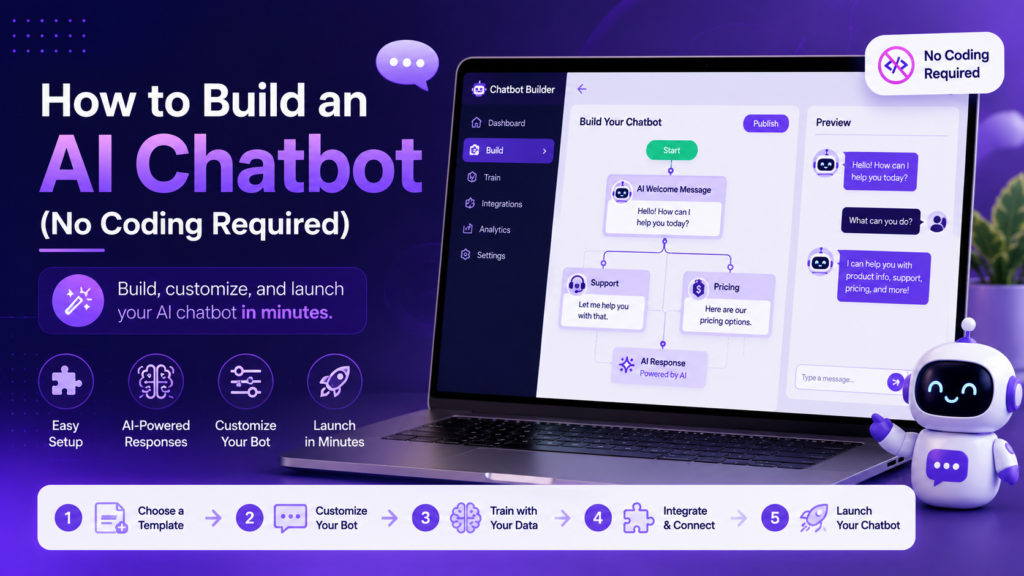
Why Businesses Are Building Chatbots Without Developers
No-code chatbot platforms have improved dramatically over the past few years. They now include drag-and-drop conversation builders, AI-powered response generation, and direct integrations with tools like Zapier for connecting other apps.
This shift matters most for small businesses that cannot justify hiring a developer just to automate a handful of common customer questions. A support team spending hours answering the same five questions daily can often eliminate most of that work with a well-built chatbot running in the background. That growing accessibility is exactly why so many teams are searching for how to build an AI chatbot on their own instead of outsourcing the project.
Expert Tip: Do not launch a chatbot without testing at least twenty realistic conversations first. Real customers phrase things differently than you expect.
What You Need Before You Start
Before diving into how to build an AI chatbot, it helps to gather a few things first. Having these ready ahead of time makes the actual building process much faster.
You will want your existing FAQ content or help articles, since these become the foundation the chatbot draws from when answering questions. You will also want a clear sense of your most common customer questions, which usually come from support tickets, email inquiries, or live chat transcripts if you already have them. Finally, decide where the chatbot will live, whether that is your website, a Facebook page, or a messaging app like WhatsApp, since this affects which platform makes the most sense to build on.
Anyone learning how to build an AI chatbot for the first time tends to move faster once these three things are sorted out ahead of time, rather than figuring them out mid-build.
Step 1: Choose a No-Code Chatbot Platform
The first real decision in how to build an AI chatbot is picking the right platform. Several platforms make it simple to design a conversation flow without writing code.
- Voiceflow offers a visual drag-and-drop builder for designing conversation flows, popular for both simple FAQ bots and more complex assistants.
- Intercom includes chatbot building tools directly inside its customer support platform, useful if you already use it for tickets and live chat.
- Zapier can connect a chatbot to hundreds of other apps, letting it trigger actions like creating a support ticket or adding a contact to a list.
If you want the chatbot to sound more natural in longer conversations, connecting it to a model like ChatGPT or Claude behind the scenes tends to produce better results than relying only on scripted responses.
Step 2: Define What the Chatbot Should Do
Before opening any builder, decide exactly what the chatbot needs to handle. Trying to cover everything at once usually leads to a confusing bot that handles nothing particularly well.
Common starting points include answering frequently asked questions, collecting basic information from leads, or routing customers to the right department. Pick one clear job for the first version, and expand from there once it works reliably.
Step 3: Build the Conversation Flow
This step is where how to build an AI chatbot actually starts feeling real, since you begin mapping out how the conversation unfolds. Most no-code platforms use a visual flow builder where you connect blocks representing questions, answers, and decision points.
Start with a simple welcome message, then map out the two or three most common questions your customers ask. Each question should have a clear answer block, with a fallback option for anything the chatbot does not recognize. A good fallback message offers to connect the customer with a human rather than leaving them stuck.
Pro Tip: Keep early conversation flows short. A chatbot that tries to handle ten different paths on day one is much harder to test and fix than one handling three.
It also helps to sketch the flow on paper or a whiteboard before opening the actual builder. Seeing the whole conversation mapped out visually first makes it much easier to spot dead ends or confusing branches before they become a technical problem inside the platform itself.
Step 4: Connect Your Knowledge Base
A large part of learning how to build an AI chatbot that actually helps customers comes down to this step. Modern AI chatbot builders can pull answers directly from your existing help articles, product pages, or documentation, rather than requiring you to write every answer manually.
Upload your FAQ page, support articles, or product descriptions into the platform, and the AI will use that content to answer questions in natural language. This step usually takes the most time, but it is also what makes the chatbot genuinely useful rather than just a scripted menu.
The quality of your knowledge base directly determines how well the chatbot performs. A thin, outdated set of help articles produces a chatbot that struggles with anything beyond the most basic questions, while a thorough and current knowledge base lets the AI handle a much wider range of customer needs confidently.
Step 5: Test the Chatbot Thoroughly
Testing is where most chatbot launches succeed or fail. This is arguably the most important stage in how to build an AI chatbot that customers actually trust. Run through at least twenty realistic conversations, including some intentionally confusing or oddly phrased questions.
Pay attention to how the chatbot handles questions it cannot answer. A weak fallback response frustrates customers, while a strong one smoothly hands the conversation to a human agent. Testing with a few real employees or friends who were not involved in building it often reveals gaps you would not catch yourself.
Step 6: Deploy and Monitor
Once testing looks solid, deploy the chatbot to your website, Facebook Messenger, WhatsApp, or wherever your customers already spend time.
Most platforms include simple embed code you can paste into your website, requiring no technical setup beyond copying and pasting a snippet. After launch, review conversation logs weekly for the first month to catch any confusing questions or gaps in the knowledge base.
Common Myths About Building a Chatbot
A few misconceptions tend to stop people from even trying to learn how to build an AI chatbot in the first place.
One common myth is that it requires programming knowledge. In reality, no-code platforms are built specifically so that anyone comfortable using basic software tools can design a working conversation flow. Another myth is that a chatbot needs to handle every possible question from day one. Most successful chatbots start narrow, handling just a handful of common questions well, before expanding gradually over time.
There is also a misconception that building a chatbot is expensive. Many platforms offer free tiers that are more than capable of running a basic chatbot, and the cost only becomes a factor once conversation volume grows significantly or advanced features are needed.
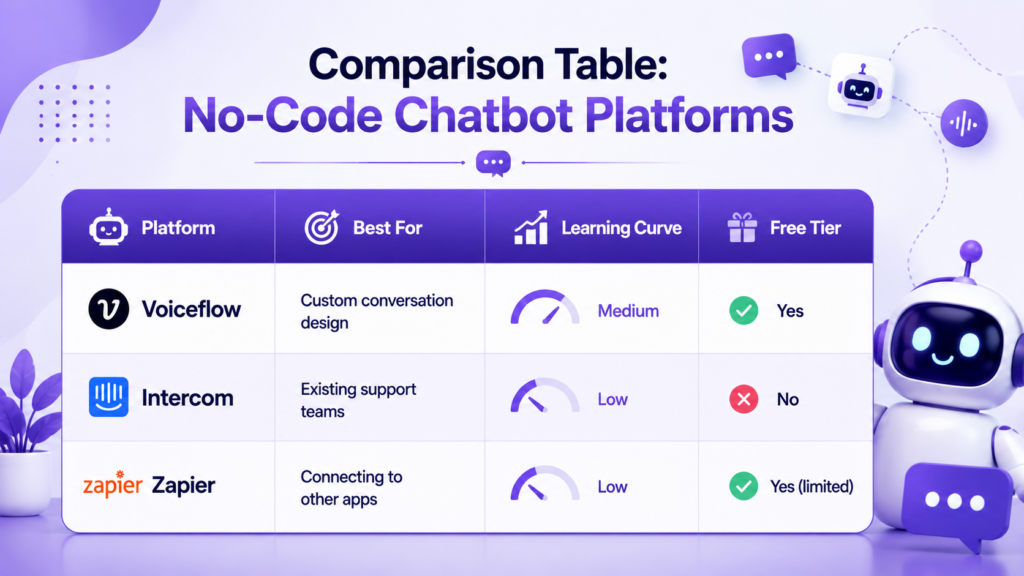
Comparison Table: No-Code Chatbot Platforms
| Platform | Best For | Learning Curve | Free Tier |
|---|---|---|---|
| Voiceflow | Custom conversation design | Medium | Yes |
| Intercom | Existing support teams | Low | No |
| Zapier | Connecting to other apps | Low | Yes (limited) |
Common Mistakes When Building a Chatbot
Even with a clear process, a few recurring mistakes trip up people learning how to build an AI chatbot for the first time.
- Skipping the planning stage. Jumping straight into the builder without defining the chatbot’s job leads to a confusing experience.
- Writing overly long responses. Chatbot replies should be short and direct, not paragraphs of text.
- No clear escalation path. Customers get frustrated fast when a bot loops without offering a way to reach a human.
- Forgetting to update the knowledge base. An outdated chatbot answering with old information damages trust quickly.
Warning: Never let a chatbot handle sensitive requests like account cancellations, refunds, or complaints involving safety without a human reviewing the interaction.
Maintaining Your Chatbot After Launch
Learning how to build an AI chatbot is only half the work. Keeping it useful over time requires ongoing attention, even after the initial setup is done.
Review conversation logs on a regular schedule, looking specifically for questions the chatbot struggled to answer or moments where customers seemed frustrated. These moments usually point to gaps in the knowledge base that are worth filling quickly, since the same gap will keep showing up until it is addressed.
It also helps to revisit the conversation flow every few months as your products, policies, or common customer questions change. A chatbot built around last year’s offerings will start giving outdated answers if nobody updates it, which is one of the fastest ways to lose customer trust in the tool.
Best Practices for Building an AI Chatbot
Following a few consistent habits makes the difference between a chatbot that helps customers and one that frustrates them. These best practices apply no matter which platform you choose while working through how to build an AI chatbot.
- Start with one clear use case before expanding to handle more topics.
- Keep responses short, direct, and easy to scan on mobile devices.
- Review real conversation logs weekly during the first month after launch.
- Always give customers a clear, easy way to reach a human agent.
- Update your knowledge base regularly so the chatbot reflects current information.
If you are exploring broader automation for your business, our guide on AI tools for small business covers additional areas worth automating alongside chatbots.
Summary
Learning how to build an AI chatbot without coding comes down to six steps: choose a platform, define its job, build the conversation flow, connect a knowledge base, test thoroughly, and deploy with monitoring in place. Tools like Voiceflow, Intercom, and Zapier make each step accessible without a developer. Start with one clear use case, test with real conversations before launch, and always leave a path to a human agent for anything the chatbot cannot handle.
Anyone still unsure where to begin with how to build an AI chatbot should start smaller than they think is necessary. A narrow, well-tested chatbot handling three common questions well will earn more trust from customers than an ambitious one that stumbles through half its conversations.
For more on automating customer-facing work beyond chatbots, see our guide to AI for customer service or explore AI tools for social media management if you want to automate other parts of your customer interactions.
Ready to automate more of your business with AI? Check out our guide on AI tools for small business for more ways to save time beyond chatbots.
Frequently Asked Questions
Most simple chatbots can be built and tested within a few hours using no-code tools, though a more complex bot with a full knowledge base may take a few days. Anyone researching how to build an AI chatbot for the first time should expect the planning stage to take longer than the actual building.
No. Modern no-code platforms like Voiceflow and Intercom are designed specifically for people without programming experience, which is exactly why so many small businesses have started exploring how to build an AI chatbot on their own.
Many platforms offer usable free tiers for basic chatbots, though advanced features and higher conversation volumes often require a paid plan.
Voiceflow works well for custom conversation design, while Intercom is a strong choice if you already use it for customer support.
Yes. Most modern AI chatbot builders can pull directly from your existing FAQ pages, help center articles, or product documentation.
A well-built chatbot should recognize when it cannot help and offer to connect the customer with a human agent rather than leaving them stuck.
Yes. Testing with at least twenty realistic conversations before launch catches most confusing responses and gaps in the knowledge base.
No. Chatbots handle repetitive questions well, but complex issues, complaints, and sensitive requests still need human judgment.
Review conversation logs regularly and track how often customers get stuck or ask to speak with a human, since that signals gaps to fix.
Yes. Most no-code platforms support deployment directly to WhatsApp, Facebook Messenger, and other messaging apps in addition to websites, which makes learning how to build an AI chatbot useful well beyond just your own site.
