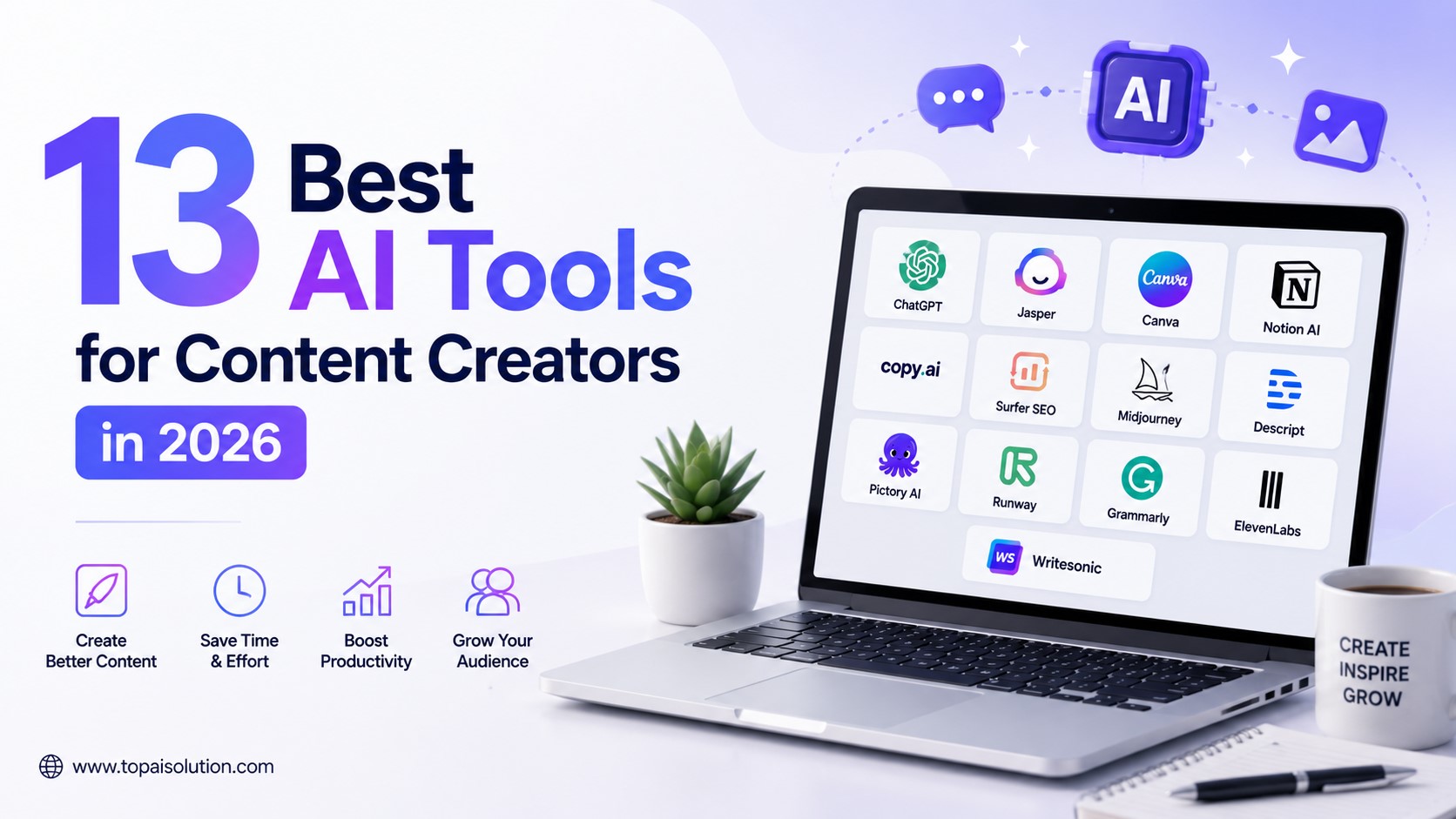

The best AI tools for content creators in 2026 cover four jobs: writing, editing, voice, and design. Descript and CapCut lead video editing, ElevenLabs leads AI voice, Canva and Adobe Firefly lead design, and ChatGPT or Claude handle scripting and captions. Most creators only need 3 to 4 tools to cover their full workflow.
Key Takeaways
- AI tools for content creators now handle scripting, editing, voiceover, and design in one workflow.
- Video editing tools like Descript and CapCut can cut editing time by more than half.
- AI voice generators let solo creators produce narration without recording their own audio.
- Free tiers exist for nearly every category, so you can test before you commit to a paid plan.
- The right stack depends on your content format. Short-form video needs a different toolkit than long-form writing or podcasting.
Making content used to mean hours behind an editing timeline or staring at a blank script document. That part of the job has changed. AI tools for content creators now touch nearly every stage of production, from the first outline to the final thumbnail.
A few years ago, a solo creator needed a script writer, a video editor, a sound engineer, and a graphic designer just to publish one polished video. Today, one person with the right AI stack can do all four jobs in a single afternoon. That shift is why “AI tools for content creators” has become one of the most searched topics among YouTubers, podcasters, and social media managers this year. If you are just getting started, our broader guide to AI tools for small business is a useful starting point too.
This guide walks through the 13 tools creators are actually using in 2026, organized by what they do rather than just listed alphabetically. You will find pricing, honest pros and cons, and who each tool actually fits, whether you are a solo creator posting three times a week or a small team managing multiple channels.
How We Chose These AI Tools for Content Creators
Every tool on this list had to meet three conditions:
- It solves a real bottleneck in content production (not just a novelty feature)
- It has a usable free tier or trial, so you can test it before paying
- It is actively maintained, with updates in the past six months
We left out tools that looked impressive in a demo but broke down on real footage or real writing tasks.
Expert Tip: Do not try to adopt all 13 tools at once. Pick one for scripting, one for editing, and one for design first. Add voice or repurposing tools once that core workflow feels solid.
Who Should Use Which AI Tools
Not every creator needs the same stack. Your content format and channel size should decide which tools actually earn a spot in your workflow.
- Solo YouTubers doing talking-head videos: Descript for editing, ChatGPT or Claude for scripts, Canva for thumbnails.
- Short-form creators (TikTok, Reels, Shorts): CapCut for editing, Opus Clip if you are repurposing long content, Buffer for scheduling captions.
- Podcasters: Descript for editing and transcription, Adobe Podcast for audio cleanup, ElevenLabs if you need narrated intros.
- Small marketing teams managing multiple brands: Jasper for consistent brand voice, Adobe Firefly for commercially safe graphics, Buffer for multi-account scheduling.
- Educators and course creators: Claude for longer, structured scripts, Premiere Pro for polished lessons, Canva for slide-style graphics.
Matching the tool to the format matters more than picking the “best” tool overall. A short-form creator rarely needs Premiere Pro’s depth, and a podcaster rarely needs CapCut’s beat-synced templates.
Best AI Tools for Scripting and Writing
1. ChatGPT
ChatGPT remains one of the fastest ways to draft video scripts, outlines, and captions. It is especially useful for brainstorming hooks and structuring long-form videos into clear segments. Many creators use it as a first-draft engine, feeding it a topic and a target length, then reworking the output into their own voice. If you want a deeper look at how it stacks up against alternatives, see our full ChatGPT vs Claude comparison.
- Best for: Scripts, outlines, captions, brainstorming
- Pricing: Free tier available; paid plans for higher usage
- Limitation: Needs editing for tone, first drafts can sound generic
2. Claude
Claude tends to produce longer, more naturally structured writing with less repetition, which makes it a strong option for scripting narration-heavy videos or written show notes.
- Best for: Long-form scripts, show notes, nuanced tone
- Pricing: Free tier available; paid plans for extended use
- Limitation: No built-in video or audio generation
3. Jasper
Jasper is built specifically for marketing and content teams, with templates for captions, ad copy, and blog posts tied to a brand voice profile. For more writing-focused options, our best AI writing tools roundup covers several strong alternatives.
- Best for: Teams managing multiple brand voices
- Pricing: Paid only, no permanent free tier
- Limitation: Overkill for solo creators working on one channel
Best AI Video Editing Tools
Video editing is where AI has changed creator workflows the most. Instead of manually cutting silences or syncing captions, these tools do it automatically.
4. Descript
Descript edits video by editing the transcript. Delete a sentence in the text, and the matching video clip disappears. It also removes filler words and long pauses automatically, which used to be one of the most tedious parts of editing talking-head content.
- Best for: Podcast-to-video, talking-head content, tutorials
- Pricing: Free tier with watermark; paid plans remove limits
- Limitation: Less suited to fast-paced, highly stylized edits
5. CapCut
CapCut is the go-to for short-form video. Its auto-captions, templates, and beat-synced cuts make it fast to turn raw footage into a finished TikTok or Reel. It pairs well with the scheduling tools in our AI tools for social media management guide.
- Best for: Short-form video, TikTok, Instagram Reels
- Pricing: Free, with optional Pro features
- Limitation: Less depth for long-form or complex projects
6. Runway
Runway focuses on generative video, background removal, object tracking, and AI-generated clips for b-roll when you do not have footage to match a scene.
- Best for: Creative effects, generative b-roll, green screen work
- Pricing: Free tier with limited credits; paid plans scale up
- Limitation: Generative clips still need review for consistency
7. Adobe Premiere Pro (with AI features)
Premiere’s built-in AI tools now handle auto-reframe for different aspect ratios and scene-based color matching, which used to take hours manually.
- Best for: Professional-grade editing with AI shortcuts
- Pricing: Subscription required
- Limitation: Steeper learning curve than CapCut or Descript
Best AI Voice and Audio Tools
8. ElevenLabs
ElevenLabs generates natural-sounding voiceovers in multiple languages, and can clone a creator’s own voice for consistent narration across videos. For more options in this space, check our best AI voice generators list.
- Best for: Voiceover, narration, multilingual content
- Pricing: Free tier with limited characters; paid plans for more
- Limitation: Voice cloning requires ethical use and disclosure
9. Adobe Podcast (Enhance Speech)
This tool cleans up rough audio, removing background noise and echo, which makes it useful for creators recording in imperfect environments.
- Best for: Cleaning up podcast or interview audio
- Pricing: Free
- Limitation: Audio cleanup only, no editing or generation
Best AI Design and Thumbnail Tools
10. Canva Magic Studio
Canva’s AI features generate thumbnail variations, resize designs across platforms instantly, and suggest layout improvements based on your content. If you need more design firepower, our best AI image generators guide covers dedicated options.
- Best for: Thumbnails, social graphics, quick design work
- Pricing: Free tier; Pro plan unlocks more AI features
- Limitation: Less control than dedicated design software
11. Adobe Firefly
Firefly generates images and graphics trained to avoid copyright issues, which makes it a safer choice for commercial thumbnails and channel art.
- Best for: Commercially safe AI-generated graphics
- Pricing: Included with Creative Cloud plans
- Limitation: Requires an Adobe subscription for full access
Best AI Tools for Repurposing Content
12. Opus Clip
Opus Clip takes a long video and automatically finds the most engaging short clips, complete with captions, ready to post as Shorts or Reels.
- Best for: Turning podcasts or long videos into short clips
- Pricing: Free tier with limited exports; paid plans for more
- Limitation: Clip selection sometimes needs manual review
13. Buffer AI Assistant
Buffer’s AI assistant drafts social captions and suggests posting times based on when your specific audience is most active. Pair it with the platforms in our AI marketing tools guide for a fuller distribution stack.
- Best for: Scheduling and caption writing across platforms
- Pricing: Free tier; paid plans for more accounts and posts
- Limitation: Caption suggestions need a human tone check
Comparison Table: AI Tools for Content Creators
| Tool | Category | Best For | Free Tier |
|---|---|---|---|
| ChatGPT | Writing | Scripts, outlines | Yes |
| Claude | Writing | Long-form scripts | Yes |
| Jasper | Writing | Brand-voice content | No |
| Descript | Editing | Transcript-based editing | Yes (watermark) |
| CapCut | Editing | Short-form video | Yes |
| Runway | Editing | Generative b-roll | Yes (limited) |
| Premiere Pro | Editing | Pro-level editing | No |
| ElevenLabs | Audio | AI voiceover | Yes (limited) |
| Adobe Podcast | Audio | Audio cleanup | Yes |
| Canva Magic Studio | Design | Thumbnails, graphics | Yes |
| Adobe Firefly | Design | Commercial-safe images | With Creative Cloud |
| Opus Clip | Repurposing | Long-to-short clips | Yes (limited) |
| Buffer AI | Scheduling | Captions, posting times | Yes |
Why Content Creators Are Turning to AI Now
Posting consistently is one of the biggest challenges creators face. Algorithms across YouTube, TikTok, and Instagram all reward frequency, and burnout is one of the most common reasons channels go quiet. AI tools address that pressure directly by removing the slowest parts of production: transcribing footage, cutting silences, writing first-draft scripts, and resizing graphics for five different platforms.
The creators seeing the biggest gains are not necessarily the ones using the most tools. They are the ones who have built a repeatable workflow. A repeatable process means less decision fatigue every time you sit down to make something, because the tool choices are already made and the steps are already set.
This is also why so many creators are combining tools rather than picking just one. A script from Claude, edited in Descript, with a thumbnail from Canva, is a common combination precisely because each tool does one job well instead of trying to do everything.
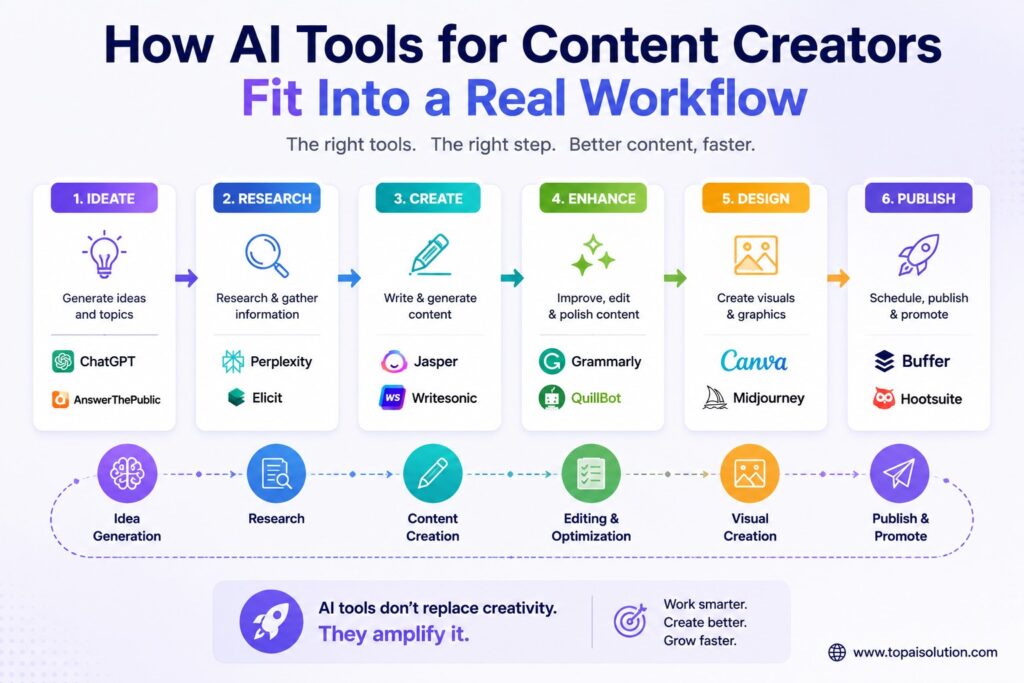
How AI Tools for Content Creators Fit Into a Real Workflow
A typical AI-assisted workflow for a weekly YouTube video might look like this:
- Draft the script outline in Claude or ChatGPT based on a topic and target length.
- Record the video, then import the footage into Descript for transcript-based editing.
- Clean up any rough audio segments with Adobe Podcast’s Enhance Speech tool.
- Generate three thumbnail options in Canva Magic Studio and pick the strongest one.
- Use Opus Clip to pull two or three short clips from the finished video for TikTok and Shorts.
- Schedule the short clips and captions with Buffer’s AI assistant.
None of these steps require advanced technical skill, which is exactly why solo creators have been able to keep up with publishing schedules that used to require a small team.
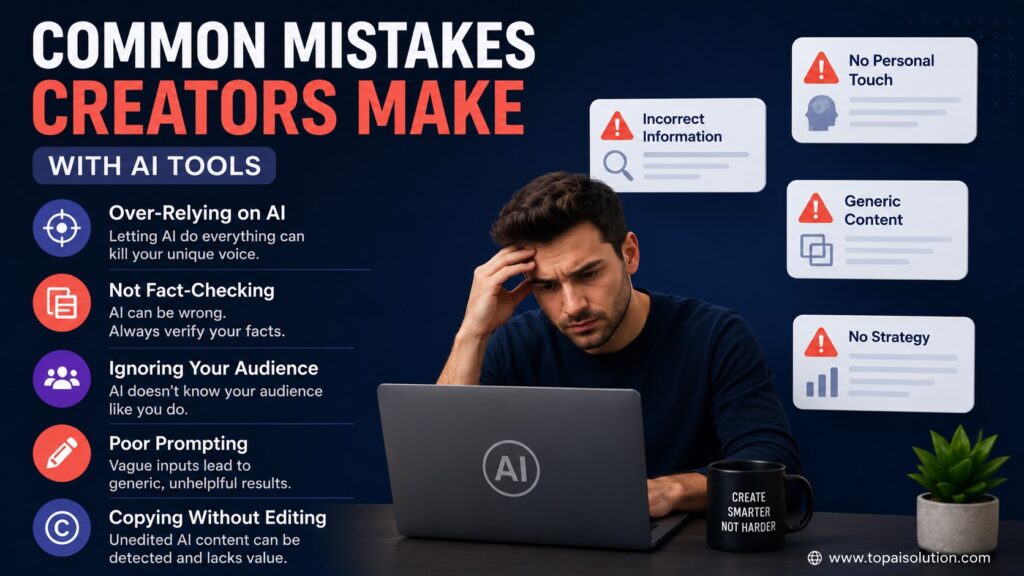
Common Mistakes Creators Make with AI Tools
- Using AI scripts word-for-word. Unedited AI writing often sounds flat on camera. Read it out loud first.
- Skipping voice cloning disclosure. If you clone your own voice with AI, say so. Audiences notice, and platforms are tightening rules here.
- Over-relying on auto-captions. Auto-generated captions still make mistakes with names and niche terms. Always proofread before publishing.
- Ignoring platform-specific formatting. A clip cut for TikTok rarely works unedited on YouTube Shorts or Instagram Reels.
Warning: Some AI-generated images and voices carry usage restrictions depending on the plan you are on. Always check commercial usage rights before using AI-generated content in monetized videos.
Best Practices for Building Your AI Content Workflow
- Start with one tool per stage: writing, editing, voice, design.
- Keep a human review step before publishing anything AI-assisted.
- Test free tiers for at least a week before upgrading to paid plans.
- Track how much time each tool actually saves. Not every tool earns a permanent spot in your workflow.
- Revisit your stack every few months. AI tools update quickly, and a feature that was missing last quarter may already exist now.
- Keep a simple checklist for each publish so nothing important, like captions, thumbnails, or disclosures, gets skipped when you are moving fast.
Summary
The best AI tools for content creators in 2026 are not about replacing creativity. They are about removing the repetitive parts of production. Scripting tools like ChatGPT and Claude speed up the writing stage. Descript and CapCut cut editing time dramatically. ElevenLabs and Adobe Podcast handle audio. Canva and Firefly cover design. And Opus Clip or Buffer help stretch one piece of content across every platform.
Start small, build a workflow around two or three tools, and add more only when a real bottleneck shows up. For a wider view of what is available across every category, our top AI tools of 2026 roundup and free AI tools list are both worth bookmarking.
Frequently Asked Questions
The top picks are ChatGPT and Claude for scripting, Descript and CapCut for editing, ElevenLabs for voice, and Canva for design.
Many offer usable free tiers. CapCut is fully free, and Descript’s free plan works but adds a watermark to exports.
Yes, but scripts usually need editing for tone and personality before they sound natural on camera.
Most platforms allow commercial use on paid plans, but always check the specific license terms first. Our AI tool pricing guide breaks down how these plans typically work.
They speed up editing significantly but still require human judgment for pacing, tone, and storytelling decisions.
CapCut is the most widely used option for TikTok, Reels, and YouTube Shorts due to its templates and auto-captions.
Yes, tools like ElevenLabs support voice cloning, but you should disclose this to your audience.
Opus Clip automatically identifies and captions the most engaging segments from long-form audio or video.
No, Canva’s free and Pro plans cover most creators’ needs without an Adobe subscription.
Many creators report cutting editing and scripting time by 40 to 60 percent once their workflow is set up properly.
Start with one editing tool and one writing tool. For most beginners, that means CapCut or Descript paired with ChatGPT or Claude.
Yes. Writing tools like ChatGPT, Claude, and Jasper work just as well for blog drafts, newsletters, and social captions as they do for video scripts.