


The best AI tutoring apps don’t just hand you answers. They ask questions, give hints and make you do the thinking, which is how people actually learn. Others are answer machines that finish your homework and teach you nothing. This guide separates the two, covers what’s free in 2026, and flags a few popular apps that no longer exist.
For a broader toolkit of study helpers, see our guide to the best AI tools for students. This article focuses on AI tutoring apps specifically.
The Difference That Matters: Tutors That Teach vs. Answer Machines
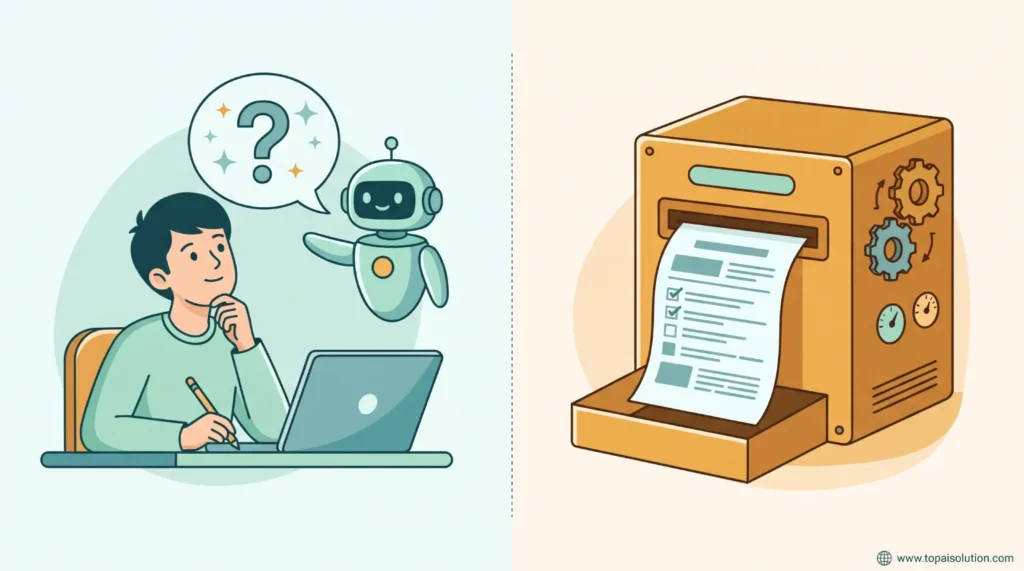
Before comparing AI tutoring apps, know the one question that matters: does it teach or just answer?
- Tutors that teach ask guiding questions, give hints and explain mistakes. You stay in charge of working out the answer.
- Answer machines give a finished solution. They’re fast, but you can copy the result without understanding it.
The most useful AI tutoring apps lean toward the first kind, and the free ones below let you switch that behavior on.
1. The Free Study Modes in ChatGPT, Gemini and Claude
You may already have a free tutor. All three major assistants now include a learning mode that uses guided questions instead of direct answers.
- ChatGPT Study Mode: launched in July 2025 and free for logged-in users. It’s broad and works on almost any subject.
- Gemini Guided Learning: launched in August 2025 and included in the free Gemini tier with usage limits. Google’s free 12-month student offer ended on March 11, 2026, and 2026 comparisons list a student rate of about $9.99 a month.
- Claude Learning Mode: reportedly available to all users through the settings in Claude, and described as the strictest of the three about asking questions first.
Our ChatGPT vs Claude vs Gemini comparison helps you pick one.
Best for: students who want free AI tutoring apps they can use for almost any subject.
2. Khanmigo: Best Dedicated Tutor for K-12
Khanmigo, from Khan Academy, is built to teach. It uses Socratic questioning and is designed not to give answers away. It’s free for teachers and costs about $4 a month or $44 a year for families, according to several 2026 comparisons.
Best for: school-age students who need guardrails and structured practice, and parents who want a tutor that doesn’t do the homework for them.
3. Photomath: Best for Math Step by Step
Photomath lets you scan a handwritten or printed math problem and shows the solution in steps. The basic version is free, and Photomath Plus, for deeper explanations, costs about $9.99 a month in several comparisons. Google owns Photomath, and the app is published under Google’s name.
Use it to check your work and study the method. If you only copy the final answer, you lose the benefit.
Best for: checking math homework and understanding each step.
4. Duolingo Max: Best for Language Practice
Duolingo Max adds AI features to the language app, including Roleplay for practicing real conversations and Explain My Answer for understanding your mistakes. It only helps with languages, and the price varies a lot by region and plan. Comparisons cite anything from under $10 to about $30 a month, so check the price in the app before you subscribe.
Best for: learners who want conversation practice and instant explanations.
5. Quizlet: Best for Practice and Review
Among AI tutoring apps, Quizlet isn’t a true tutor, because it doesn’t diagnose a misunderstanding and re-teach the idea. It does turn your notes into flashcards and practice questions, and it has an AI study helper. Reviews say the free tier got noticeably stingier in 2026, with Plus costing around $36 a year in several comparisons.
Best for: memorizing and reviewing before exams.
A Warning About Outdated AI Tutoring Apps Lists
Many “best AI tutor” lists still recommend Socratic by Google. The standalone Socratic app was discontinued, and its features were merged into Google Lens in 2025. For photo-based homework help, you now use the Homework filter in Google Lens.
Prices and free tiers for AI tutoring apps also change often. If a list has no date, assume it’s out of date.
AI Tutoring Apps at a Glance
| Tool | Free option | Paid price | Best for |
|---|---|---|---|
| ChatGPT Study Mode | Free | Plus about $20 per month | Any subject |
| Gemini Guided Learning | Free with limits | Student rate about $9.99 per month | Visual explanations |
| Claude Learning Mode | Reportedly free | Paid plans vary | Strict question-first teaching |
| Khanmigo | Free for teachers | About $4 per month or $44 per year | K-12 tutoring |
| Photomath | Basic free | About $9.99 per month | Math steps |
| Duolingo Max | Basic Duolingo is free | Varies by region | Languages |
| Quizlet | Narrow free tier | About $36 per year | Practice and review |
How to Get the Most From AI Tutoring Apps
Good habits matter more than which of the AI tutoring apps you pick.
- Try the problem first. Then ask for a hint, not the answer.
- Explain it back in your own words and ask the tutor to check you.
- Ask it to quiz you, and review the mistakes.
- Check important facts in your textbook or class notes, since AI can be wrong.
- Follow your school’s rules on AI use, and never submit AI-written work as your own.
Clear requests get better teaching, so our tips on how to write better ChatGPT prompts apply here too.
How to Choose Among AI Tutoring Apps
- Want a free tutor for any subject: ChatGPT Study Mode, or the free tiers of Gemini and Claude
- Have a school-age child: Khanmigo
- Struggling with math: Photomath, used for steps rather than answers
- Learning a language: Duolingo Max
- Studying for an exam: Quizlet for practice, plus a study mode for explanations
Frequently Asked Questions
ChatGPT’s Study Mode is free for logged-in users and works on almost any subject. Gemini’s Guided Learning and Claude’s Learning Mode are also worth trying on their free tiers.
They’re cheaper and always available, but they can be wrong and can’t fully replace a teacher’s judgment, motivation and feedback. Many students use AI tutoring apps for practice and a human tutor for harder topics.
For school-age students, many reviewers think so, since it’s about $4 a month and built to teach instead of answer. Teachers can use it free.
Using them to understand a concept, get hints and practice is generally fine. Submitting AI-written work as your own usually isn’t. Check your school’s policy. Our guide to using AI for homework explains what’s usually fine and what isn’t.
The standalone app was discontinued, and its features now live in the Homework filter of Google Lens.